Yep, we may get a tiny thank-you (read: commission) when you buy through
links on Techspotr — not enough for a yacht, but enough to keep the lights (and
servers) on.
Learn more
28
Highlights
46
Differences
6
Reactions
0
Likes
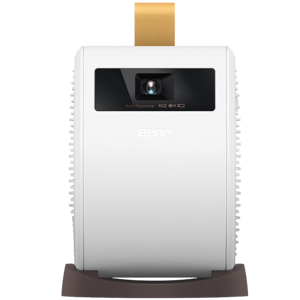
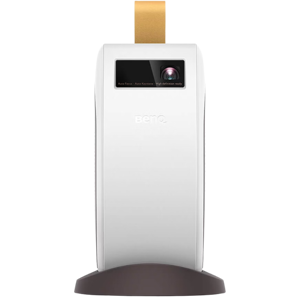
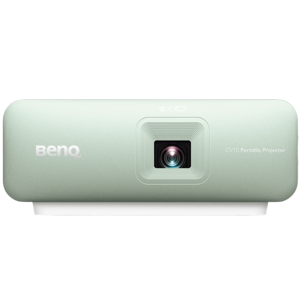
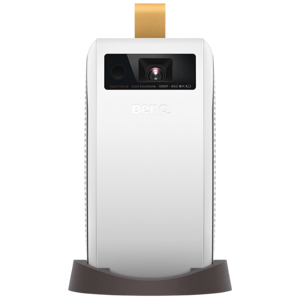
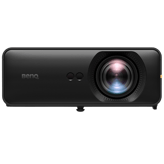
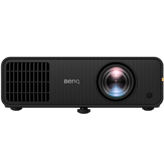
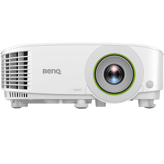
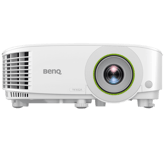
BenQ GV11
vs
BenQ GV31:
28 Highlights & 46 Differences —
So, Which Projector Actually Works Better
Looking at features, brightness, and sound, we'll help you decide between the GV11 and GV31. Both offer portability with unique perks.
From lens material, lens coating type, focus type & auto focus to real user feedback, we broke down the differences between BenQ GV11 and BenQ GV31 in this clear, side-by-side projectors comparison.
BenQ GV11 vs BenQ GV31: Portable Projectors Battle for Home and Outdoor Entertainment
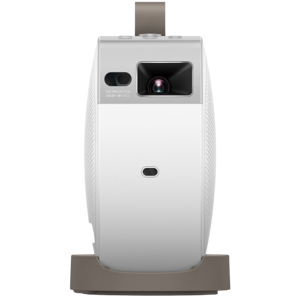
The BenQ GV11 and GV31 projectors share a lot in common, setting a solid foundation for portable and home theater projection. Both models utilize the sharp DLP projection technology coupled with an LED light source and feature a 0.23" DLP chip size, ensuring reliable image quality. They run Android TV out of the box, bringing along popular apps like YouTube and Prime Video, complete with voice control capabilities. With built-in auto-focus and auto keystone correction, these projectors deliver hassle-free setup and stable image framing. Their throw ratio ranges from 1.0 to 1.5 (standard), making them adaptable for different room sizes. Additionally, multitier color temperature presets; warm, neutral, cool; allow user preference customization. Connectivity includes Wi-Fi bands 2.4 GHz and 5 GHz and Bluetooth audio output, while warranties and accessories like remotes and power cables come standard for peace of mind and convenience.
Despite these similarities, fundamental differences underscore each projector's unique strengths. The GV31 boasts a native 1080p resolution with support for 4K input and brighter output at 300 lumens, along with a superior dynamic contrast ratio and HDR10 plus HLG format support. On the other hand, the GV11 offers a compact WVGA native resolution, maxing out at 1080p input, with a lower brightness of 200 lumens and simpler HDR10 compatibility. Audio and connectivity also diverge: the GV31 brings richer 2.1 channel Dolby Audio speakers and modern USB options, while the GV11 keeps it straightforward with a mono speaker and fewer ports. These distinctions reveal which device suits different viewer preferences and environments.
BenQ GV11: The Lightweight, Budget-Friendly Companion for Casual Viewing
The BenQ GV11 stands out for those valuing portability and simplicity. It has a native WVGA resolution, which, while lower than its competitor, adequately supports full HD content up to 1080p. Its brightness levels reach 200 lumens, suitable for dim indoor or shaded outdoor environments. Further assisted by a solid dynamic contrast of up to 200,000:1, the image quality remains compelling for casual entertainment.
Projection distances range flexibly between 2.8 meters and 9.5 meters, with a maximum screen size close to 100 inches, making it ideal for smaller rooms or outdoor gatherings. The GV11 relies exclusively on autofocus to sharpen images and lacks a manual focus ring or lens protection cover, emphasizing ease over granular control.
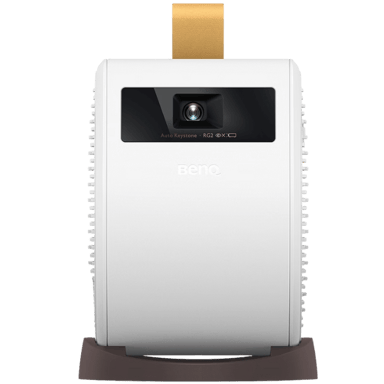
Audio-wise, the GV11 features a single 5-watt mono speaker with basic sound modes like movie and music, lacking Dolby support but including Bluetooth audio output for wireless speaker connection. The user interface is friendly, centered on Android TV, offering custom preset modes and parental controls. Physically, the GV11 weighs just 2.1 pounds and sports a compact footprint (4.5" W x 5.5" D x 6" H), making it highly portable. It also comes with a practical carrying case for convenience. Power consumption is moderate at 28W in normal mode, aligning with longer battery life in mobile setups.
BenQ GV31: Power and Performance Packed Into a Versatile Projector
BenQ's GV31 projector targets users demanding higher image fidelity and immersive audio. Sporting a bright 1080p native resolution with 4K content compatibility, it delivers crisp visuals supported by a potent 300 lumens brightness output. The contrast ratio soars past 100,000:1, with dynamic contrast exceeding 200,000:1, enhancing depth and HDR nuances, inclusive of both HDR10 and HLG formats.
The GV31's projection capabilities extend up to a sizable 120-inch screen, perfect for large living rooms or dedicated media spaces. It spotlights a manual focus ring alongside autofocus, plus a protective lens cover; features that empower users to fine-tune image clarity and safeguard the hardware. Connectivity is robust: dual USB ports (USB-A and USB-C) and both 3.5mm and Bluetooth audio outputs offer flexibility, while input lag times are notably low, an advantage gamers will appreciate.
Audio is a defining strength, with the GV31 featuring 2.1 channel speakers and Dolby Audio support, enriched further by a dedicated game sound mode, fostering an immersive sonic environment. Smart features are equally impressive, boasting Wi-Fi 6 compatibility, smart calibration to optimize image quality, and skin tone plus black level enhancements for more lifelike visuals.
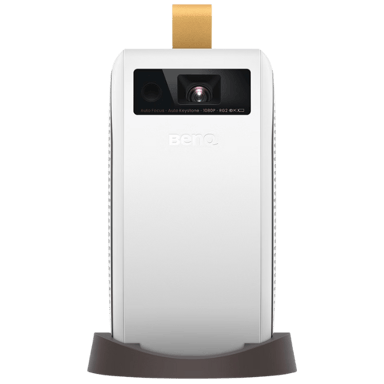
Physically, the GV31 is bigger and heftier (5.2" x 7.5" x 8" and 3.7 lbs) and includes a handy carry handle, balancing portability with premium build. It has a longer 6-foot power cord and a quicker power-on time of about 5 seconds, ready to go when entertainment calls. However, its power consumption is higher at 45W, reflecting its enhanced capabilities.
Quick Take
The BenQ GV11 shines as a budget-friendly, lightweight projector ideal for users who want easy portability and solid casual performance without a high price tag. Meanwhile, the BenQ GV31 justifies its premium position by offering sharper visuals, deeper contrasts, gorgeous HDR support, and a richer audio setup that satisfies home theater aficionados and gamers alike.
Bottom Line
If your priority is a vibrant, crisp, and richly immersive viewing experience with cutting-edge smart features and superior sound, the BenQ GV31 emerges as the clear winner. However, for those who value a compact form factor and affordability while still enjoying satisfactory 1080p projection, the BenQ GV11 is a great option that won't stretch your budget.
Verdict
Winner: BenQ GV31 - Offers superior image quality, enhanced HDR support, versatile connectivity, and immersive audio making it perfect for premium entertainment setups.
Runner-up: BenQ GV11 - A more compact and budget-friendly projector that caters to casual users needing portability and decent picture quality without breaking the bank.
Side by side. The numbers. The features. No drama.
Trying to choose between BenQ GV11 and BenQ GV31? This versus breakdown covers everything — specs, pros and cons, pricing, what users like (and don’t), and which projector makes more sense for your needs and budget.
What is the maximum supported resolution of this projector?
33
BenQ GV11
0Votes
1080p
53
BenQ GV31
0Votes
4K
vs
Maximum Supported Resolution
Maximum Supported Resolution on BenQ GV11 is 1080p, in contrast to BenQ GV31's support up to 4K, indicating GV31 is better for high-resolution content.
The highest resolution signal the projector can accept.
In the battle of Maximum Supported Resolution,
BenQ GV11 ◉ is
worse than
BenQ GV31 ◉
, delivering
lower
20 score
measurement.
Don’t keep it to yourself — be the first to react and review the
Maximum Supported Resolution on BenQ GV11 ◉
vs BenQ GV31 ◉ and help others decide!
Brightness really matters to me and GV31's 300 lumens totally beats GV11's 200 lumens for outdoor use.
See more
Contrast Ratio
What is the contrast ratio of this projector?
0
BenQ GV11
0Votes
100,000:1
0
BenQ GV31
0Votes
100,000:1+
BenQ GV31
With a contrast ratio of 100,000:1+, the projector can display deep blacks and bright whites, resulting in a dynamic and vibrant image with excellent detail.
Represents the difference between the darkest black and brightest white produced by the projector.
In the battle of Contrast Ratio,
BenQ GV11 ◉ is
same as
BenQ GV31 ◉
.
Don’t keep it to yourself — be the first to react and review the
Contrast Ratio on BenQ GV11 ◉
vs BenQ GV31 ◉ and help others decide!
Native Resolution
What is the native resolution of this projector?
0
BenQ GV11
0Votes
WVGA
43
BenQ GV31
1Votes
1080p
The true physical pixel resolution produced by the projector.
In the battle of Native Resolution,
BenQ GV11 ◉ is
worse than
BenQ GV31 ◉
, delivering
lower
43 score
measurement.
Based on community votes for Native Resolution,
BenQ GV11 ◉ earned
0 votes,
less than
BenQ GV31 ◉,
which got 1 votes.
Does this projector support ultra short throw projection?
No
0Votes
BenQ GV11
No
0Votes
BenQ GV31
vs
Ultra Short Throw
Neither BenQ GV11 nor GV31 support Ultra Short Throw projection.
Indicates whether the projector can project large images at extremely short distances.
In the battle of Ultra Short Throw,
BenQ GV11 ◉ is
same as
BenQ GV31 ◉
.
Don’t keep it to yourself — be the first to react and review the
Ultra Short Throw on BenQ GV11 ◉
vs BenQ GV31 ◉ and help others decide!
Screen Size Minimum
What is the minimum supported screen size?
29.65
inch
0Votes
30
inch
0Votes
BenQ GV11
The Screen Size Minimum of 29.65 inch corresponds to approximately 75.30 cm in metric measurement.
BenQ GV31
The minimum recommended screen size for this projector is 30 inches, which is approximately 76.2 cm, making it suitable for smaller viewing areas or personal use.
Smallest supported diagonal projection size.
In the battle of Screen Size Minimum,
BenQ GV11 ◉ is
better than
BenQ GV31 ◉
, delivering
lower
0.4 inch
measurement.
Don’t keep it to yourself — be the first to react and review the
Screen Size Minimum on BenQ GV11 ◉
vs BenQ GV31 ◉ and help others decide!
Keystone Correction Vertical
What is the vertical keystone correction?
40
degree
0Votes
40
degree
0Votes
BenQ GV11
It offers a vertical keystone correction of 40 degree, allowing for significant adjustment of image shape when the projector is not perfectly aligned.
Vertical angle adjustment to correct image distortion.
In the battle of Keystone Correction Vertical,
BenQ GV11 ◉ is
same as
BenQ GV31 ◉
, delivering
equal
40.00 degree
measurement.
Don’t keep it to yourself — be the first to react and review the
Keystone Correction Vertical on BenQ GV11 ◉
vs BenQ GV31 ◉ and help others decide!
Screen Size Maximum
What is the maximum supported screen size?
100.08
inch
0Votes
120
inch
0Votes
BenQ GV31
The projector can cast a maximum screen size of 120 inches, equivalent to 304.8 cm, suitable for large-format viewing in various rooms.
Largest supported diagonal projection size.
In the battle of Screen Size Maximum,
BenQ GV11 ◉ is
worse than
BenQ GV31 ◉
, delivering
lower
19.9 inch
measurement.
Don’t keep it to yourself — be the first to react and review the
Screen Size Maximum on BenQ GV11 ◉
vs BenQ GV31 ◉ and help others decide!
Projection Alignment Type
What is the projection alignment type?
0
BenQ GV11
0Votes
Front, Rear, Ceiling, Tabletop
0
BenQ GV31
0Votes
Front,Rear,Ceiling,Tabletop
BenQ GV31
The projector supports multiple alignment types including Front, Rear, Ceiling, and Tabletop projection, providing versatility for various installation scenarios.
Describes how the projector aligns with the screen.
In the battle of Projection Alignment Type,
BenQ GV11 ◉ is
same as
BenQ GV31 ◉
.
Don’t keep it to yourself — be the first to react and review the
Projection Alignment Type on BenQ GV11 ◉
vs BenQ GV31 ◉ and help others decide!
Throw Ratio
Flexible placement with :val throw ratio.
28
BenQ GV11
0Votes
1.0–1.5 (Standard)
28
BenQ GV31
0Votes
1.0–1.5 (Standard)
What is the throw ratio?
In the battle of Throw Ratio,
BenQ GV11 ◉ is
same as
BenQ GV31 ◉
.
Don’t keep it to yourself — be the first to react and review the
Throw Ratio on BenQ GV11 ◉
vs BenQ GV31 ◉ and help others decide!
Maximum Throw Distance
What is the maximum throw distance?
9.5
ft
0Votes
Who knows?
0Votes
BenQ GV31
(Help us out by suggesting one!)
Maximum distance at which the projector can achieve a proper image.
Don’t keep it to yourself — be the first to react and review the
Maximum Throw Distance on BenQ GV11 ◉
vs BenQ GV31 ◉ and help others decide!
Keystone Correction Horizontal
What is the horizontal keystone correction?
Who knows?
0Votes
BenQ GV11
(Help us out by suggesting one!)
Who knows?
0Votes
BenQ GV31
(Help us out by suggesting one!)
Horizontal angle adjustment to correct image distortion.
Don’t keep it to yourself — be the first to react and review the
Keystone Correction Horizontal on BenQ GV11 ◉
vs BenQ GV31 ◉ and help others decide!
Lens Shift Vertical
What is the vertical lens shift?
Who knows?
0Votes
BenQ GV11
(Help us out by suggesting one!)
Who knows?
0Votes
BenQ GV31
(Help us out by suggesting one!)
Vertical lens movement for distortion-free positioning.
Don’t keep it to yourself — be the first to react and review the
Lens Shift Vertical on BenQ GV11 ◉
vs BenQ GV31 ◉ and help others decide!
Lens Shift Horizontal
What is the horizontal lens shift?
Who knows?
0Votes
BenQ GV11
(Help us out by suggesting one!)
Who knows?
0Votes
BenQ GV31
(Help us out by suggesting one!)
Horizontal lens movement to fine-tune placement.
Don’t keep it to yourself — be the first to react and review the
Lens Shift Horizontal on BenQ GV11 ◉
vs BenQ GV31 ◉ and help others decide!
Digital Zoom Level
Useful zoom reaching :valx.
0
BenQ GV11
0Votes
1.0x–1.1x (Minimal)
0
BenQ GV31
0Votes
1.0x–1.1x (Minimal)
What is the digital zoom level?
In the battle of Digital Zoom Level,
BenQ GV11 ◉ is
same as
BenQ GV31 ◉
.
Don’t keep it to yourself — be the first to react and review the
Digital Zoom Level on BenQ GV11 ◉
vs BenQ GV31 ◉ and help others decide!
Does this projector include light flicker control?
Yes
0Votes
BenQ GV11
Yes
0Votes
BenQ GV31
vs
Light Flicker Control
Both BenQ GV11 and GV31 support Light Flicker Control for comfortable viewing.
Indicates whether flicker reduction technology is implemented.
In the battle of Light Flicker Control,
BenQ GV11 ◉ is
same as
BenQ GV31 ◉
.
Don’t keep it to yourself — be the first to react and review the
Light Flicker Control on BenQ GV11 ◉
vs BenQ GV31 ◉ and help others decide!
Light Source Lifetime Eco Mode
What is the light source lifetime in eco mode?
30,000
hour
0Votes
30,000
hour
0Votes
BenQ GV11
In Eco mode, the light source offers an impressive lifetime of 30000 hour, significantly extending its operational duration and reducing replacement frequency.
BenQ GV31
In Eco Mode, the LED light source has an impressive estimated lifetime of 30,000 hours, significantly reducing the need for replacement over time.
Estimated lifespan of the light source in eco mode.
In the battle of Light Source Lifetime Eco Mode,
BenQ GV11 ◉ is
same as
BenQ GV31 ◉
, delivering
equal
30,000.00 hour
measurement.
Don’t keep it to yourself — be the first to react and review the
Light Source Lifetime Eco Mode on BenQ GV11 ◉
vs BenQ GV31 ◉ and help others decide!
Light Source Type
What is the light source type?
0
BenQ GV11
0Votes
LED
0
BenQ GV31
0Votes
LED
BenQ GV11
The projector uses an LED light source, known for its longevity, energy efficiency, and quick start-up times.
Defines the illumination technology powering the projector.
In the battle of Light Source Type,
BenQ GV11 ◉ is
same as
BenQ GV31 ◉
.
Don’t keep it to yourself — be the first to react and review the
Light Source Type on BenQ GV11 ◉
vs BenQ GV31 ◉ and help others decide!
Light Source Lifetime Normal Mode
What is the light source lifetime in normal mode?
20,000
hour
0Votes
20,000
hour
0Votes
BenQ GV31
In Normal Mode, the LED light source has an estimated lifespan of 20,000 hours, ensuring long-term performance before any maintenance is required.
Estimated lifespan in standard usage mode.
In the battle of Light Source Lifetime Normal Mode,
BenQ GV11 ◉ is
same as
BenQ GV31 ◉
, delivering
equal
20,000.00 hour
measurement.
Don’t keep it to yourself — be the first to react and review the
Light Source Lifetime Normal Mode on BenQ GV11 ◉
vs BenQ GV31 ◉ and help others decide!
Light Uniformity Rating
What is the light uniformity rating of this projector?
0
BenQ GV11
0Votes
High
0
BenQ GV31
0Votes
High
BenQ GV11
The projector boasts a High light uniformity rating, ensuring consistent brightness across the entire screen for a balanced image.
Indicates how evenly brightness is distributed across the screen.
In the battle of Light Uniformity Rating,
BenQ GV11 ◉ is
same as
BenQ GV31 ◉
.
Don’t keep it to yourself — be the first to react and review the
Light Uniformity Rating on BenQ GV11 ◉
vs BenQ GV31 ◉ and help others decide!
Light Source Power Output
What is the light source power output?
Who knows?
0Votes
BenQ GV11
(Help us out by suggesting one!)
Who knows?
0Votes
BenQ GV31
(Help us out by suggesting one!)
Indicates the wattage of the light source, affecting brightness potential.
Don’t keep it to yourself — be the first to react and review the
Light Source Power Output on BenQ GV11 ◉
vs BenQ GV31 ◉ and help others decide!
Light Efficiency
What is the light efficiency?
Who knows?
0Votes
BenQ GV11
(Help us out by suggesting one!)
Who knows?
0Votes
BenQ GV31
(Help us out by suggesting one!)
Measures how effectively the light source converts power into brightness.
Don’t keep it to yourself — be the first to react and review the
Light Efficiency on BenQ GV11 ◉
vs BenQ GV31 ◉ and help others decide!
Warm-Up Time
What is the warm-up time?
Who knows?
0Votes
BenQ GV11
(Help us out by suggesting one!)
Who knows?
0Votes
BenQ GV31
(Help us out by suggesting one!)
Time required for the projector to reach full brightness.
Don’t keep it to yourself — be the first to react and review the
Warm-Up Time on BenQ GV11 ◉
vs BenQ GV31 ◉ and help others decide!
Cool-Down Time
What is the cool-down time?
Who knows?
0Votes
BenQ GV11
(Help us out by suggesting one!)
Who knows?
0Votes
BenQ GV31
(Help us out by suggesting one!)
Time required before the projector safely powers off.
Don’t keep it to yourself — be the first to react and review the
Cool-Down Time on BenQ GV11 ◉
vs BenQ GV31 ◉ and help others decide!
Light Source Replaceability
Can the light source be replaced?
No
0Votes
BenQ GV11
No
0Votes
BenQ GV31
Indicates whether users can replace the light source.
In the battle of Light Source Replaceability,
BenQ GV11 ◉ is
same as
BenQ GV31 ◉
.
Don’t keep it to yourself — be the first to react and review the
Light Source Replaceability on BenQ GV11 ◉
vs BenQ GV31 ◉ and help others decide!
Color Temperature
What is the color temperature setting of this projector?
0
BenQ GV11
0Votes
Warm, Neutral, Cool
0
BenQ GV31
0Votes
Warm, Neutral, Cool, Custom
Defines the visual warmth or coolness profile of the projected image.
In the battle of Color Temperature,
BenQ GV11 ◉ is
same as
BenQ GV31 ◉
.
Don’t keep it to yourself — be the first to react and review the
Color Temperature on BenQ GV11 ◉
vs BenQ GV31 ◉ and help others decide!
What color temperature presets does this projector offer?
0
BenQ GV11
0Votes
Warm, Neutral, Cool
0
BenQ GV31
0Votes
Warm, Neutral, Cool
vs
Color Temperature Presets
Color Temperature Presets include Warm, Neutral, and Cool on both BenQ GV11 and GV31.
Preset visual warmth settings for different content.
In the battle of Color Temperature Presets,
BenQ GV11 ◉ is
same as
BenQ GV31 ◉
.
Don’t keep it to yourself — be the first to react and review the
Color Temperature Presets on BenQ GV11 ◉
vs BenQ GV31 ◉ and help others decide!
Color Calibration Profiles
What color calibration profiles are available?
0
BenQ GV11
0Votes
Rec709
0
BenQ GV31
0Votes
Rec709
BenQ GV11
It features Rec709 color calibration, ensuring accurate and standardized color reproduction for an optimal viewing experience.
BenQ GV31
The projector supports Rec709 color calibration profiles, ensuring accurate color reproduction that aligns with broadcast television standards for high-definition content.
Predefined settings for accurate color reproduction.
In the battle of Color Calibration Profiles,
BenQ GV11 ◉ is
same as
BenQ GV31 ◉
.
Don’t keep it to yourself — be the first to react and review the
Color Calibration Profiles on BenQ GV11 ◉
vs BenQ GV31 ◉ and help others decide!
Skin Tone Correction
Does this projector offer skin tone correction?
No
0Votes
BenQ GV11
Yes
0Votes
BenQ GV31
BenQ GV31
The projector offers skin tone correction, which subtly adjusts colors to ensure natural and accurate representation of human complexions in projected images.
Enhances natural skin tones for realistic visuals.
In the battle of Skin Tone Correction,
BenQ GV11 ◉ is
worse than
BenQ GV31 ◉
.
Don’t keep it to yourself — be the first to react and review the
Skin Tone Correction on BenQ GV11 ◉
vs BenQ GV31 ◉ and help others decide!
Noise Reduction Type
What type of noise reduction does this projector use?
0
BenQ GV11
0Votes
Standard
0
BenQ GV31
0Votes
Standard
BenQ GV11
It includes Standard noise reduction, which helps in improving image clarity by minimizing visual noise and artifacts.
Indicates the technique used to reduce visual noise and artifacts for a cleaner image.
In the battle of Noise Reduction Type,
BenQ GV11 ◉ is
same as
BenQ GV31 ◉
.
Don’t keep it to yourself — be the first to react and review the
Noise Reduction Type on BenQ GV11 ◉
vs BenQ GV31 ◉ and help others decide!
White Balance Control
Does this projector include white balance control?
Yes
0Votes
BenQ GV11
Yes
0Votes
BenQ GV31
Allows tuning of color balance for accurate whites.
In the battle of White Balance Control,
BenQ GV11 ◉ is
same as
BenQ GV31 ◉
.
Don’t keep it to yourself — be the first to react and review the
White Balance Control on BenQ GV11 ◉
vs BenQ GV31 ◉ and help others decide!
Image Scaling Engine Type
What type of image scaling engine does this projector use?
0
BenQ GV11
0Votes
Standard
0
BenQ GV31
0Votes
Standard
Defines the scaling engine used to upscale lower-resolution content to the projector’s native resolution.
In the battle of Image Scaling Engine Type,
BenQ GV11 ◉ is
same as
BenQ GV31 ◉
.
Don’t keep it to yourself — be the first to react and review the
Image Scaling Engine Type on BenQ GV11 ◉
vs BenQ GV31 ◉ and help others decide!
MEMC Mode
Does this projector support MEMC mode?
No
0Votes
BenQ GV11
No
0Votes
BenQ GV31
Motion interpolation for smooth fast-action content.
In the battle of MEMC Mode,
BenQ GV11 ◉ is
same as
BenQ GV31 ◉
.
Don’t keep it to yourself — be the first to react and review the
MEMC Mode on BenQ GV11 ◉
vs BenQ GV31 ◉ and help others decide!
Does this projector include AI auto image optimization?
No
0Votes
BenQ GV11
No
0Votes
BenQ GV31
Automatically enhances image settings using AI.
In the battle of AI Auto Image Optimization,
BenQ GV11 ◉ is
same as
BenQ GV31 ◉
.
Don’t keep it to yourself — be the first to react and review the
AI Auto Image Optimization on BenQ GV11 ◉
vs BenQ GV31 ◉ and help others decide!
App Store Support
Does this projector support an app store?
Yes
0Votes
BenQ GV11
Yes
0Votes
BenQ GV31
BenQ GV31
The projector includes app store support, allowing users to download and install various streaming and utility applications directly onto the device, expanding its functionality.
Indicates support for downloading apps directly to the projector.
In the battle of App Store Support,
BenQ GV11 ◉ is
same as
BenQ GV31 ◉
.
Don’t keep it to yourself — be the first to react and review the
App Store Support on BenQ GV11 ◉
vs BenQ GV31 ◉ and help others decide!
Screen Mirroring Standard
What screen mirroring standard does this projector support?
0
BenQ GV11
0Votes
AirPlay, Chromecast
0
BenQ GV31
0Votes
AirPlay, Chromecast
BenQ GV11
It supports screen mirroring via AirPlay, Chromecast, enabling easy content sharing from compatible devices without cables.
Specifies which standard is used for mirroring devices.
In the battle of Screen Mirroring Standard,
BenQ GV11 ◉ is
same as
BenQ GV31 ◉
.
Don’t keep it to yourself — be the first to react and review the
Screen Mirroring Standard on BenQ GV11 ◉
vs BenQ GV31 ◉ and help others decide!
Bluetooth Version
What is the Bluetooth version?
0
BenQ GV11
0Votes
4.2
0
BenQ GV31
0Votes
5.0
BenQ GV11
It features Bluetooth version 4.2, enabling stable wireless connections for audio and other peripherals like a remote control.
Indicates the Bluetooth protocol version for audio and accessories.
In the battle of Bluetooth Version,
BenQ GV11 ◉ is
same as
BenQ GV31 ◉
.
Don’t keep it to yourself — be the first to react and review the
Bluetooth Version on BenQ GV11 ◉
vs BenQ GV31 ◉ and help others decide!
Built-In Streaming Apps
What built-in streaming apps are available?
0
BenQ GV11
0Votes
YouTube, Prime Video, Disney+, Hulu
0
BenQ GV31
0Votes
Netflix
Lists available preinstalled streaming services.
In the battle of Built-In Streaming Apps,
BenQ GV11 ◉ is
same as
BenQ GV31 ◉
.
Don’t keep it to yourself — be the first to react and review the
Built-In Streaming Apps on BenQ GV11 ◉
vs BenQ GV31 ◉ and help others decide!
Voice Control
Does this projector support voice control?
Yes
0Votes
BenQ GV11
Yes
0Votes
BenQ GV31
Enables hands-free control using supported voice assistants.
In the battle of Voice Control,
BenQ GV11 ◉ is
same as
BenQ GV31 ◉
.
Don’t keep it to yourself — be the first to react and review the
Voice Control on BenQ GV11 ◉
vs BenQ GV31 ◉ and help others decide!
Smart Calibration
Does this projector support smart calibration?
No
0Votes
BenQ GV11
Yes
0Votes
BenQ GV31
Indicates whether calibration can be optimized automatically or via app.
In the battle of Smart Calibration,
BenQ GV11 ◉ is
worse than
BenQ GV31 ◉
.
Don’t keep it to yourself — be the first to react and review the
Smart Calibration on BenQ GV11 ◉
vs BenQ GV31 ◉ and help others decide!
Wi-Fi Band Support
What Wi-Fi bands does this projector support?
0
BenQ GV11
0Votes
2.4GHz, 5GHz
0
BenQ GV31
0Votes
2.4GHz, 5GHz, Wi-Fi 6
Indicates the supported wireless frequency bands.
In the battle of Wi-Fi Band Support,
BenQ GV11 ◉ is
same as
BenQ GV31 ◉
.
Don’t keep it to yourself — be the first to react and review the
Wi-Fi Band Support on BenQ GV11 ◉
vs BenQ GV31 ◉ and help others decide!
Control Panel Type is Buttons for both BenQ GV11 and GV31.
Indicates the type of on-device control interface.
In the battle of Control Panel Type,
BenQ GV11 ◉ is
same as
BenQ GV31 ◉
.
Don’t keep it to yourself — be the first to react and review the
Control Panel Type on BenQ GV11 ◉
vs BenQ GV31 ◉ and help others decide!
Auto Source Detection
Does this projector support auto source detection?
Yes
0Votes
BenQ GV11
Yes
0Votes
BenQ GV31
BenQ GV11
The projector can automatically detect active input sources, switching to the correct input without manual selection, streamlining device connectivity.
BenQ GV31
The projector features automatic source detection, meaning it can automatically switch to an active input source without manual selection, streamlining the user experience.
Detects active inputs automatically.
In the battle of Auto Source Detection,
BenQ GV11 ◉ is
same as
BenQ GV31 ◉
.
Don’t keep it to yourself — be the first to react and review the
Auto Source Detection on BenQ GV11 ◉
vs BenQ GV31 ◉ and help others decide!
Remote Control Type
What type of remote control is included?
0
BenQ GV11
0Votes
Smart
0
BenQ GV31
0Votes
Smart
BenQ GV31
The projector comes with a Smart remote control, likely offering advanced features like voice control or app integration for enhanced usability.
Defines the style and capability of the included remote.
In the battle of Remote Control Type,
BenQ GV11 ◉ is
same as
BenQ GV31 ◉
.
Don’t keep it to yourself — be the first to react and review the
Remote Control Type on BenQ GV11 ◉
vs BenQ GV31 ◉ and help others decide!
On-Screen Menu Features
What on-screen menu features does this projector offer?
0
BenQ GV11
0Votes
Quick Settings, Icon-Based Menu
0
BenQ GV31
0Votes
Quick Settings, Icon-Based Menu
BenQ GV31
The projector's on-screen menu offers Quick Settings for rapid adjustments and an Icon-Based Menu for intuitive navigation.
Describes navigational and functional features available inside the on-screen display (OSD) menu.
In the battle of On-Screen Menu Features,
BenQ GV11 ◉ is
same as
BenQ GV31 ◉
.
Don’t keep it to yourself — be the first to react and review the
On-Screen Menu Features on BenQ GV11 ◉
vs BenQ GV31 ◉ and help others decide!
Menu Navigation Style
What is the menu navigation style?
0
BenQ GV11
0Votes
Icon-Based
0
BenQ GV31
0Votes
Icon-Based
BenQ GV31
The menu navigation utilizes an Icon-Based style, providing a visually intuitive and user-friendly interface for adjusting settings and selecting options.
Defines how users navigate the on-screen interface.
In the battle of Menu Navigation Style,
BenQ GV11 ◉ is
same as
BenQ GV31 ◉
.
Don’t keep it to yourself — be the first to react and review the
Menu Navigation Style on BenQ GV11 ◉
vs BenQ GV31 ◉ and help others decide!
Backlit Remote
Does this projector include a backlit remote?
No
0Votes
BenQ GV11
No
0Votes
BenQ GV31
Indicates whether the remote supports backlighting for dark rooms.
In the battle of Backlit Remote,
BenQ GV11 ◉ is
same as
BenQ GV31 ◉
.
Don’t keep it to yourself — be the first to react and review the
Backlit Remote on BenQ GV11 ◉
vs BenQ GV31 ◉ and help others decide!
Custom Preset Modes
Does this projector allow custom preset modes?
Yes
0Votes
BenQ GV11
Yes
0Votes
BenQ GV31
Indicates whether image or sound presets can be saved by the user.
In the battle of Custom Preset Modes,
BenQ GV11 ◉ is
same as
BenQ GV31 ◉
.
Don’t keep it to yourself — be the first to react and review the
Custom Preset Modes on BenQ GV11 ◉
vs BenQ GV31 ◉ and help others decide!
Programmable Buttons
Does this projector include programmable buttons?
No
0Votes
BenQ GV11
No
0Votes
BenQ GV31
Determines whether the projector or remote includes assignable hotkeys.
In the battle of Programmable Buttons,
BenQ GV11 ◉ is
same as
BenQ GV31 ◉
.
Don’t keep it to yourself — be the first to react and review the
Programmable Buttons on BenQ GV11 ◉
vs BenQ GV31 ◉ and help others decide!
Input Switching Speed
What is the input switching speed?
Who knows?
0Votes
BenQ GV11
(Help us out by suggesting one!)
2
second
0Votes
Time required to change from one input to another.
Don’t keep it to yourself — be the first to react and review the
Input Switching Speed on BenQ GV11 ◉
vs BenQ GV31 ◉ and help others decide!
Indicator Light Controls
Does this projector support indicator light controls?
No
0Votes
BenQ GV11
Yes
0Votes
BenQ GV31
Allows dimming or disabling LED indicator lights.
In the battle of Indicator Light Controls,
BenQ GV11 ◉ is
worse than
BenQ GV31 ◉
.
Don’t keep it to yourself — be the first to react and review the
Indicator Light Controls on BenQ GV11 ◉
vs BenQ GV31 ◉ and help others decide!
Storage Temperature Maximum is 140°F (60°C) for both projectors.
Maximum temperature the projector can handle when stored.
In the battle of Storage Temperature Maximum,
BenQ GV11 ◉ is
same as
BenQ GV31 ◉
, delivering
equal
140.00 °F
measurement.
Don’t keep it to yourself — be the first to react and review the
Storage Temperature Maximum on BenQ GV11 ◉
vs BenQ GV31 ◉ and help others decide!
Operating Temperature Minimum
What is the minimum operating temperature?
41
°F
0Votes
32
°F
0Votes
BenQ GV11
A temperature of 41°F is equivalent to 5.00°C. This specific temperature is relevant for the product's operating temperature minimum.
BenQ GV31
The projector can operate in temperatures as low as 32°F, which is equivalent to 0°C, ensuring functionality even in cooler environments.
Minimum safe temperature at which the projector can operate.
In the battle of Operating Temperature Minimum,
BenQ GV11 ◉ is
worse than
BenQ GV31 ◉
, delivering
higher
9.0 °F
measurement.
Don’t keep it to yourself — be the first to react and review the
Operating Temperature Minimum on BenQ GV11 ◉
vs BenQ GV31 ◉ and help others decide!
Operating Temperature Maximum
What is the maximum operating temperature?
95
°F
0Votes
104
°F
0Votes
Maximum safe temperature for normal operation.
In the battle of Operating Temperature Maximum,
BenQ GV11 ◉ is
worse than
BenQ GV31 ◉
, delivering
lower
9.0 °F
measurement.
Don’t keep it to yourself — be the first to react and review the
Operating Temperature Maximum on BenQ GV11 ◉
vs BenQ GV31 ◉ and help others decide!
Storage Temperature Minimum
What is the minimum storage temperature?
14
°F
0Votes
-4
°F
0Votes
Minimum safe temperature for storing the projector.
In the battle of Storage Temperature Minimum,
BenQ GV11 ◉ is
worse than
BenQ GV31 ◉
, delivering
higher
18.0 °F
measurement.
Don’t keep it to yourself — be the first to react and review the
Storage Temperature Minimum on BenQ GV11 ◉
vs BenQ GV31 ◉ and help others decide!
Storage Humidity Range
What is the storage humidity range?
0
BenQ GV11
0Votes
10%–90% RH
0
BenQ GV31
0Votes
10–90% RH
Humidity levels tolerated during storage.
In the battle of Storage Humidity Range,
BenQ GV11 ◉ is
same as
BenQ GV31 ◉
.
Don’t keep it to yourself — be the first to react and review the
Storage Humidity Range on BenQ GV11 ◉
vs BenQ GV31 ◉ and help others decide!
Light Spill Control
Does this projector have light spill control?
No
0Votes
BenQ GV11
No
0Votes
BenQ GV31
Indicates measures used to contain unwanted light scatter.
In the battle of Light Spill Control,
BenQ GV11 ◉ is
same as
BenQ GV31 ◉
.
Don’t keep it to yourself — be the first to react and review the
Light Spill Control on BenQ GV11 ◉
vs BenQ GV31 ◉ and help others decide!
Outdoor Use
Does this projector support outdoor use?
Yes
0Votes
BenQ GV11
Yes
0Votes
BenQ GV31
Specifies whether the projector is designed for outdoor environments.
In the battle of Outdoor Use,
BenQ GV11 ◉ is
same as
BenQ GV31 ◉
.
Don’t keep it to yourself — be the first to react and review the
Outdoor Use on BenQ GV11 ◉
vs BenQ GV31 ◉ and help others decide!
Eco Mode Power Reduction Percentage
What is the eco mode power reduction percentage?
Who knows?
0Votes
BenQ GV11
(Help us out by suggesting one!)
30
%
0Votes
Amount of power saved when using eco mode.
Don’t keep it to yourself — be the first to react and review the
Eco Mode Power Reduction Percentage on BenQ GV11 ◉
vs BenQ GV31 ◉ and help others decide!
 Supermod
 Moderator

 0
Cartling
0
Cartling